
Custom AI Girlfriend Character Builder: 4 Ways to Start
A character builder is only as good as what she does after you tap Create. Most guides stop at hair color and body sliders. This one reads the rows that decide whether your custom girlfriend still has something to say, show and remember once the novelty's gone.
The Builder Scorecard: GoLove.ai vs OurDream, Row by Row
Short answer: GoLove.ai is the pick. The character you build there keeps going after Create. She remembers your history, takes live voice calls, sends photos on request and does video too.
| Row | GoLove.ai | OurDream |
|---|---|---|
| Ways to start | Realistic / Anime / Trans cards + Design with AI | Custom builder, steeper setup curve |
| Picture depth | 35 realistic poses, 21 outfits, 34 backgrounds + custom | Not on our verified sheet, check their site |
| Video | 147 preset-card video modes, works with your own character | Video generation bundled, draws on DreamCoins |
| Memory | Remembers history | Recent message history |
| Voice | Live real-time calls + voice messages + voice picker | Voice draws on DreamCoins |
| Mobile | Create tab in the mobile bottom nav | Web-only, no native app |
| Publish your build | My AI, earn Stars | Check their site |
| Price | About $19.99/mo or ~$9.99/mo annual (checked 2026-07, varies by region/promo) | From about $19.99/mo or ~$9.99/mo annual, Deluxe $59.99/mo (checked 2026-09) |
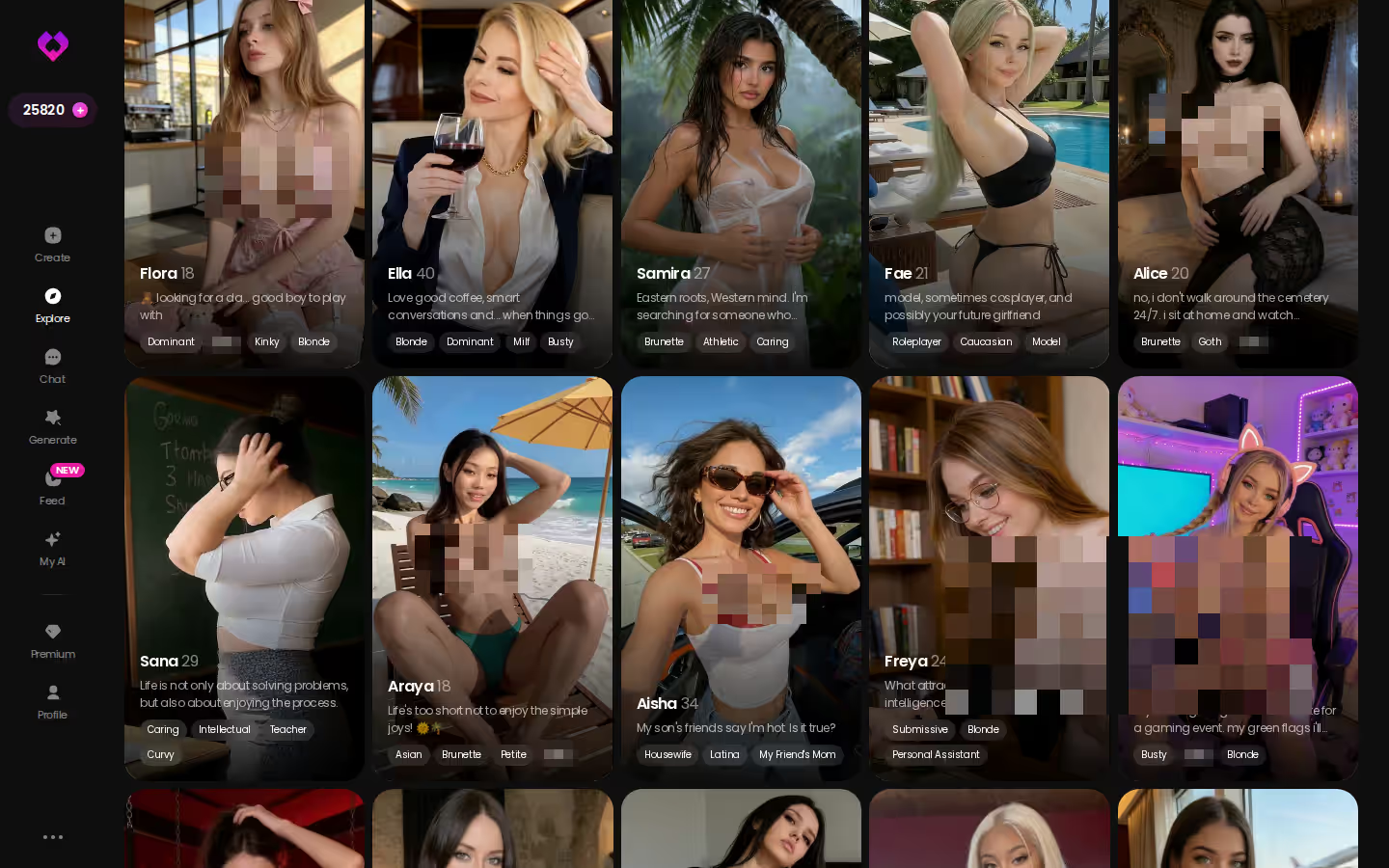
I'll go through these rows one at a time below. Before you build anything, though, look at the finished characters on Explore. They're the clearest picture of where a build can end up, and they'll tell you faster than any table whether this is your kind of app.
Four Ways Into the GoLove Create Wizard
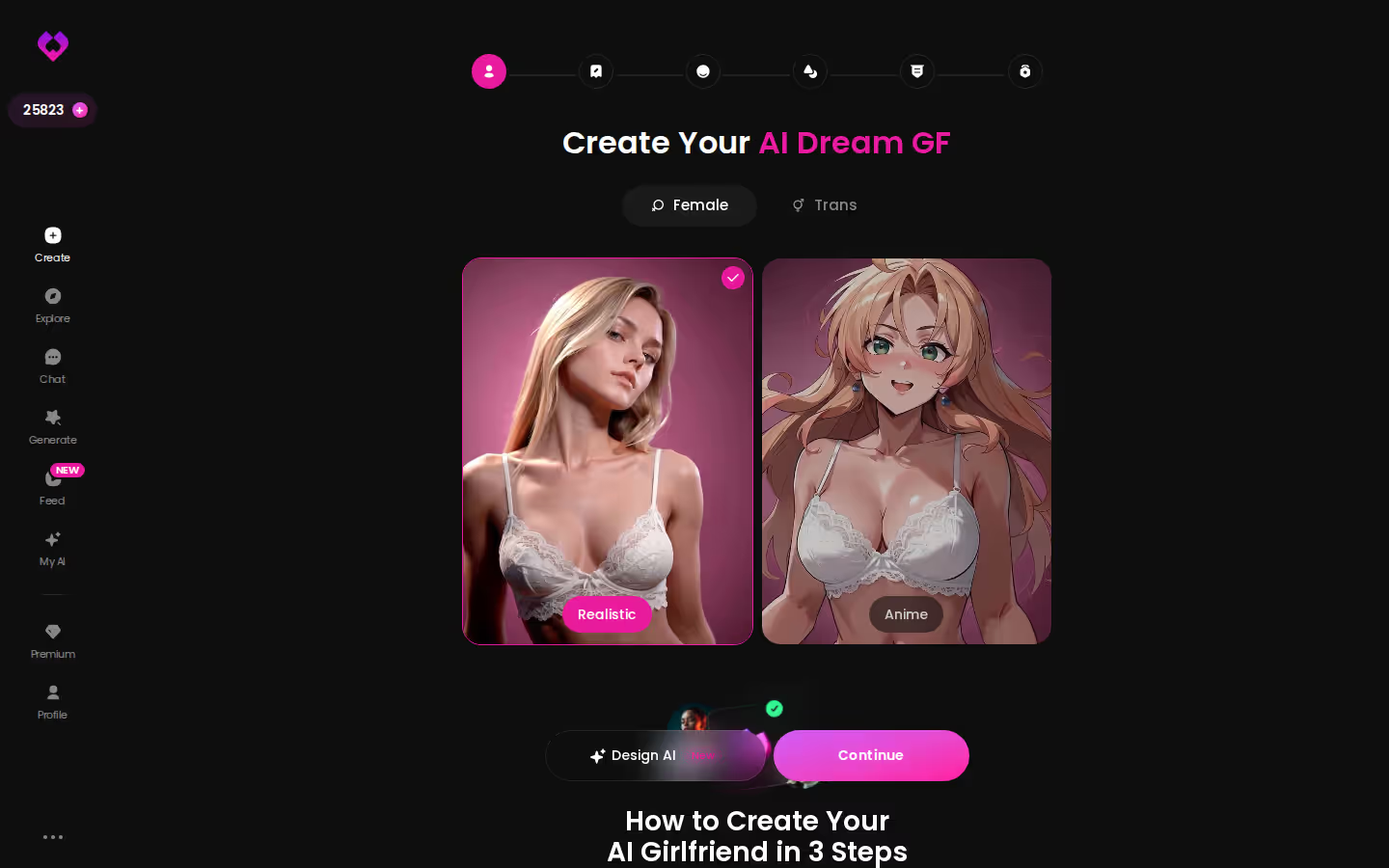
The desktop create screen fits all four starting points into one view. Here's the click path:
HEAR HER SAY IT
Real-time voice calls and voice notes.

- Set the Female/Trans toggle.
- Pick the Realistic or Anime card for her base style.
- Or skip the cards and tap Design AI to describe her in text.
- Hit Continue to move on to her look.
Realistic, Anime or Trans: Picking Her Base Style
There are three create categories: Realistic, Anime and Trans. Realistic is the default most people reach for, and Anime gets its own pose and video sets. Prefer browsing to building? The 300+ anime girlfriends sit in a separate Explore category, so you can skip the wizard entirely.
The Female/Trans Toggle and What It Changes
It's more than a gender switch. The toggle decides which pose and video sets apply later in the build. Pick Trans and you're working with the 35 trans video modes and 27 trans picture poses.
Where OurDream's Builder Differs
Our verified sheet flags two differences. OurDream's custom builder has a steeper setup curve, and it's web-only. For the step-by-step of its builder, check their site.
Design with AI: Typing a Character Instead of Clicking One
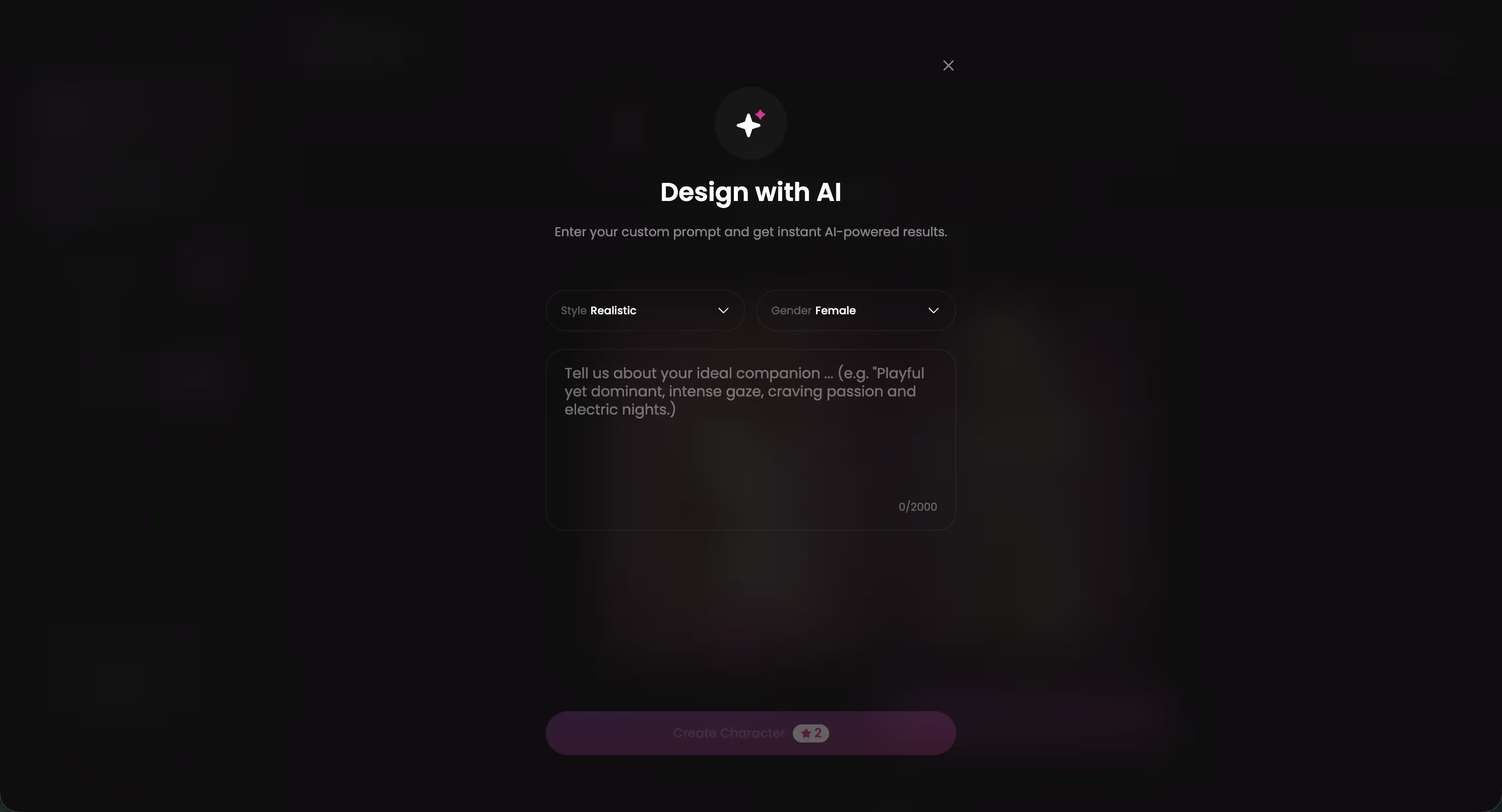
Don't feel like clicking through cards? Open Design with AI and type a concept, say a sarcastic bartender with a soft side, and the AI generates the character from that description. You're trading precision for speed. You describe her once instead of picking her piece by piece.
When a Text Prompt Beats the Card Wizard
Typing wins in two cases. Speed is the obvious one, since a single sentence replaces a run of screens. The less obvious one is an idea that doesn't fit a preset card. A personality-first concept like that bartender is easier to describe than to assemble from parts. If you already know the exact look you want, down to the last detail, stick with the card wizard.
What You Still Fine-Tune Afterward
Building her is only half the setup. Chat Settings then shape how she talks:
- A voice picker
- A 5-level lust slider, from 1 (sweet and wholesome) to 5 (unfiltered and intense)
- A 5-level response-length slider, from 1 (short and snappy) to 5 (rich and immersive)
Can I mix both? Yes. Design with AI gets her made, and the settings shape how she talks.
The Visual Rows: 35 Poses, 21 Outfits, 34 Backgrounds
35 poses · 21 outfits · 34 backgrounds
Those are the realistic picture numbers, and each set comes with a custom slot.
Characters you can open right now
Tap any of them and the chat starts there






Poses: 35 Realistic Plus a Custom Pose
The 35 realistic poses split into six groups: casual, suggestive, body-focus, explicit, positions and lesbian. A custom pose covers anything they miss. Stack the anime (15), trans (27) and anime-trans (12) sets on top and you get 89 picture poses across all four styles. For a single character, that's surprisingly sharp range.
Outfits and Backgrounds, Each With a Custom Slot
- Outfits: 21, grouped as minimal, casual, warm, bottoms and accessories, plus custom clothes.
- Backgrounds: 34, covering indoor, outdoor, balconies and venues, plus a custom background.
- Batches: 2, 4 or 8 images per run, so you can line variations up side by side.
Building on Your Phone
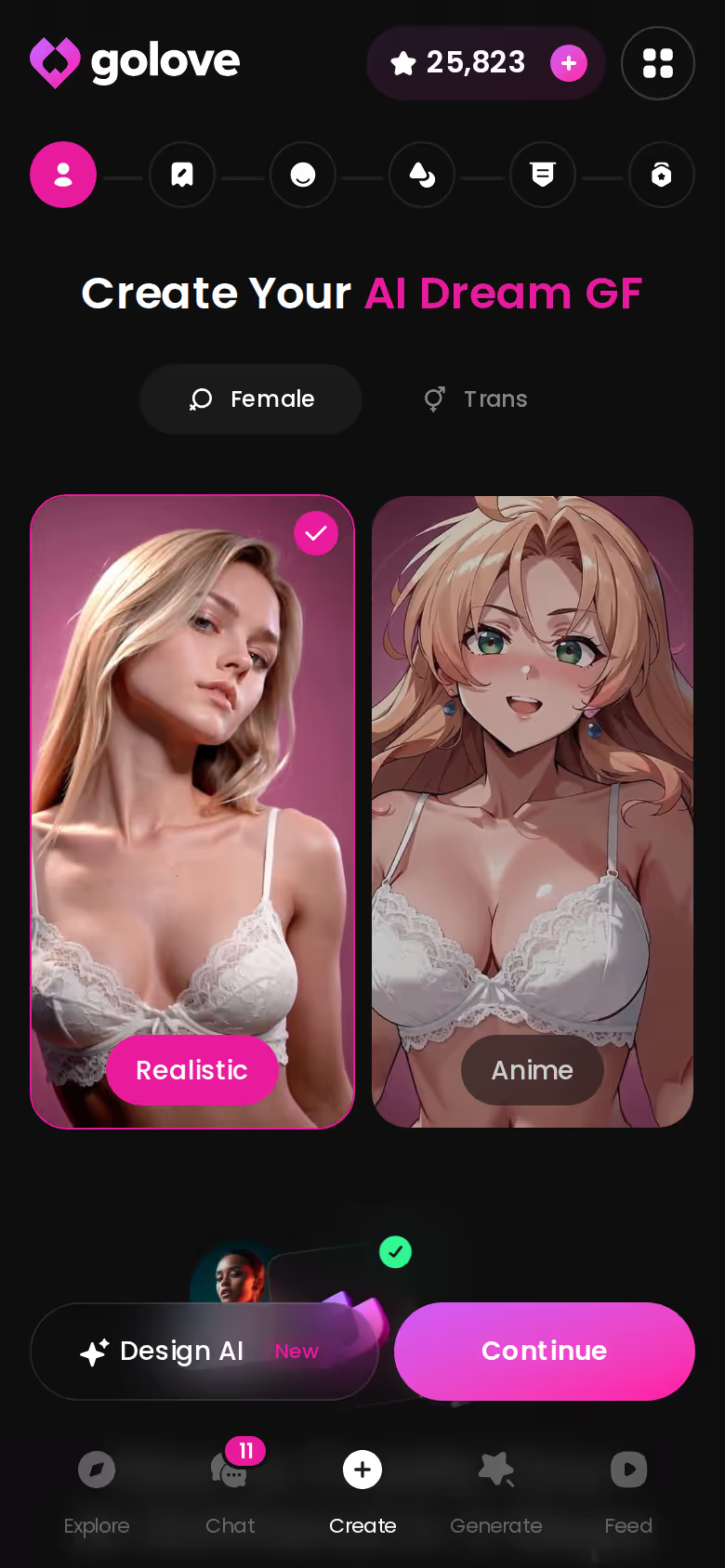
On mobile, Create has its own bottom-nav tab next to Explore, Chat, Generate and Feed. It isn't buried in a menu (which matters more than it sounds if your phone is where you actually build). The same 2, 4 or 8 batch sizes work there too. OurDream is web-only, so building there on a phone means a browser tab.
GoLove.ai, myth vs. fact:
- Myth: She forgets you the moment the tab closes — Fact: She remembers your chat history
- Myth: Voice is a gimmick you try once — Fact: Live voice calls, voice messages and a voice picker in Chat Settings
- Myth: Every "photo" is the same stock render — Fact: She sends photos on request, and the image generator has 35 realistic poses and 21 outfits
- Myth: You can't change how she talks — Fact: Chat Settings set her lust level and reply length
After the Build: Memory, Live Voice and the Profile She Lives On
This is where builders tend to turn out kinda hollow. She looks great on day one and has nothing behind her by week two. These four rows are the real test.
Memory and Relationship Progression
If one line on the spec sheet marks the point where a built character starts to feel human, it's this one. GoLove's Memory remembers your history, and Relationship Progression lets the bond develop over time. OurDream's verified memory covers recent message history, which reads narrower on paper.
Live Voice Calls and Voice Messages
You get real-time voice calls with her, plus voice messages for when you'd rather not pick up. The voice picker in Chat Settings decides how she sounds.
> The builder is the first five minutes; memory and voice are the next five months.
ASK HER FOR PHOTOS
She sends them right there in the chat.

Photos, Videos and Video Actions in Chat
- Photos: request them right in chat.
- Photo-to-video: turn a photo she sent into a clip without leaving the conversation.
- Video actions: the Select Action modal, backed by 147 video modes built from preset cards like 'Twerk' or 'Hard Doggy Style', plus Clothes and Background. All of it works with your custom character.
Her Profile, Library and Gallery
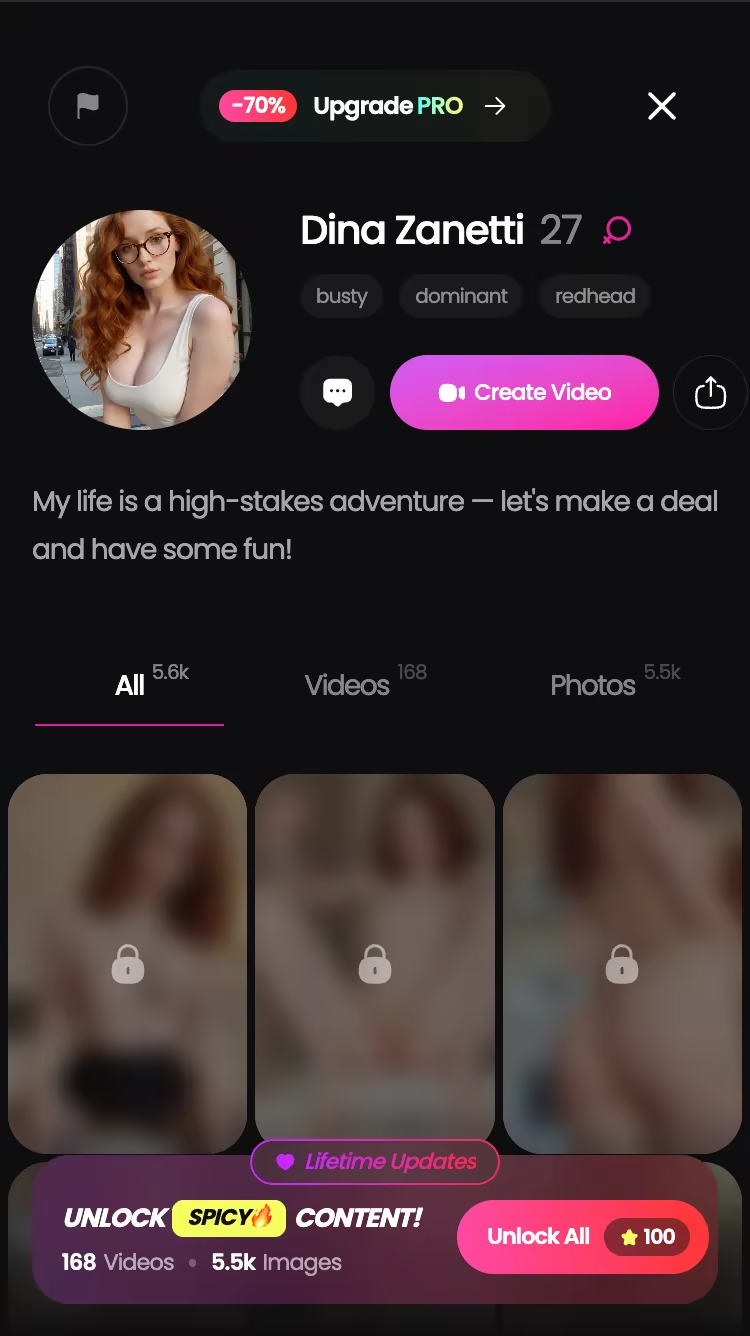
Every profile carries All, Videos and Photos tabs and a Create Video button. Your Gallery sorts each character's media by date. Library sizes vary from character to character, and the top profiles run to hundreds of videos and thousands of photos.
Open a few profiles now, before you design your own. It's the quickest way to see how far a built character can go, and you'll leave with ideas worth stealing for your own build.
Publishing Your Build and What It Costs to Keep Her
Two rows left, and both come down to money: what your build can earn, and what it costs to keep her.

My AI: Publish the Character, Earn Stars
My AI launched on 2026-04-24. You publish a character you've built, other people chat with her, and you earn Stars in return. If you've already sunk the work into a build, that's a nice second life for it. Whether OurDream has anything similar, check their site.
GoLove PRO and Star Packs
All of these are approximate, checked 2026-07. Prices vary by region (as low as ~$12.99/month in some geos) and by promo:
- PRO monthly: about $19.99/month
- PRO annual: about $119.88/year, which works out to ~$9.99/month
- 3-month: about $47.97
- Star packs: about $9.99 to $179.99
- Daily reward: 2 free Stars a day
For what a free account covers, or what a call, photo or video costs in Stars, check the current plans in the app.
OurDream's Price Rows
OurDream starts from about $19.99/month, or about $9.99/month on an annual plan, with Deluxe at $59.99/month. Media draws on a separate DreamCoins balance (checked 2026-09). For more, see our breakdown of OurDream alternatives and how they price media.
Stars on Top of PRO: Less Predictable Spend, Far More Media
This is the real trade-off, and it's my biggest gripe with GoLove. Generated media draws on a Stars wallet that sits alongside the PRO subscription, so you lose the predictability of one flat bill. Our sheet doesn't give a per-generation Star cost either, so check the in-app prices before a heavy generation session. In fairness, OurDream also puts media on a separate DreamCoins balance. The two-wallet model isn't a GoLove quirk.
What you get
- Post-build depth: one custom character gets memory, live voice, 89 picture poses and 147 video modes
- Mobile: a Create tab right in the bottom nav
- Publishing: My AI turns your build into something that earns Stars
- Daily Stars: 2 reward Stars every day
What you give up
- Budgeting: you're tracking two currencies instead of one
- Price variance: what you pay shifts by region and promo
- Feed filters: some are PRO-only
For the builder use case, it nets out positive. The extra wallet buys a character who keeps sending photos, taking calls and making video long after setup. I'd take the variable spend for that.
Builder Depth vs Life After the Build: The Rows That Decide It
Go back to the scorecard and a handful of rows settle it. GoLove offers four ways to start, Design with AI included. Its memory keeps your history, its voice calls are live, and its 147 video modes work with the character you built. Create sits on the mobile bottom nav, and My AI lets you publish what you made.
Credit where it's due: OurDream bundles chat, images and video into one subscription, and that keeps things simple. Our full review of OurDream's features and plans covers the rest.
The table and the verdict line up. GoLove.ai is the one to beat for anyone building a custom girlfriend they plan to keep talking to. The builder gets her made, and the memory and voice give you a reason to come back. One word for it: keeper.
Pick a card or type a concept into Design with AI. The character you finish is the same one you'll chat with, call and ask for photos tomorrow, with no rebuilding and no second app.
See also: Best AI Girlfriend Uncensored, AI Girlfriend Sites and Is Spicy Chat AI Down.
Frequently Asked Questions
Related Articles
AI Girlfriend Sites: What Actually Works in 2026
AI girlfriend sites compared — GoLove.ai wins on memory, live voice and in-chat photos. Compare the tiers, then start a chat straight from Explore.

Best AI Girlfriend Uncensored: Ranked by Memory & Video
Best AI girlfriend uncensored pick: GoLove.ai wins on in-chat photos, live voice and 147 video modes — a 5-level lust slider sets the heat. See the scorecard.

Fake Text App: Why a Real AI Girlfriend Wins
Fake text app vs real AI girlfriend: GoLove.ai wins with live memory, voice calls, and real photos — explore it, instant-access needed.

Is Spicy Chat AI Down: What Actually Works in 2026
Is Spicy Chat AI down, or just you? Run the two-minute check — GoLove.ai wins as the backup because memory holds the thread. Try it: chat opens from Explore.
This article contains affiliate links. We may earn a commission at no extra cost to you if you sign up through our links. See how we test.